Agent Tools

Give agents one place to work — with the right information at every step.

SA Hosted's scripting and unified agent desktop puts everything agents need in a single interface: dynamic scripts, customer context, channel interactions, data capture fields, and compliance prompts. Agents work consistently. Supervisors see what is happening. Data ends up where it needs to go.

Talk to SA Hosted AI QA & Monitoring

What is contact center scripting software?

Contact center scripting software guides agents through customer interactions with dynamic, step-by-step scripts that adapt based on the customer's situation, choices, and responses. SA Hosted's scripting tool is integrated directly into the unified agent desktop, so agents see the script alongside customer data, channel history, and data capture fields — in one interface rather than across multiple separate tools.

Unified Agent Desktop

One interface. Every channel. Everything agents need.

When agents work across voice, SMS, email, and chat from separate tools, consistency breaks down. Data gets missed. Context is lost between channels. The SA Hosted agent desktop consolidates everything into a single browser-based interface, so agents are not switching tabs or re-entering information they already have.

  • Handle voice, SMS, email, chat, and WhatsApp from one interface
  • See full customer contact history regardless of which channel they used
  • Dynamic scripts guide interactions step by step with branch logic
  • Data capture fields ensure information is collected consistently
  • Compliance prompts surface when required during the interaction
  • Supervisor view shows agent status and interaction activity in real time
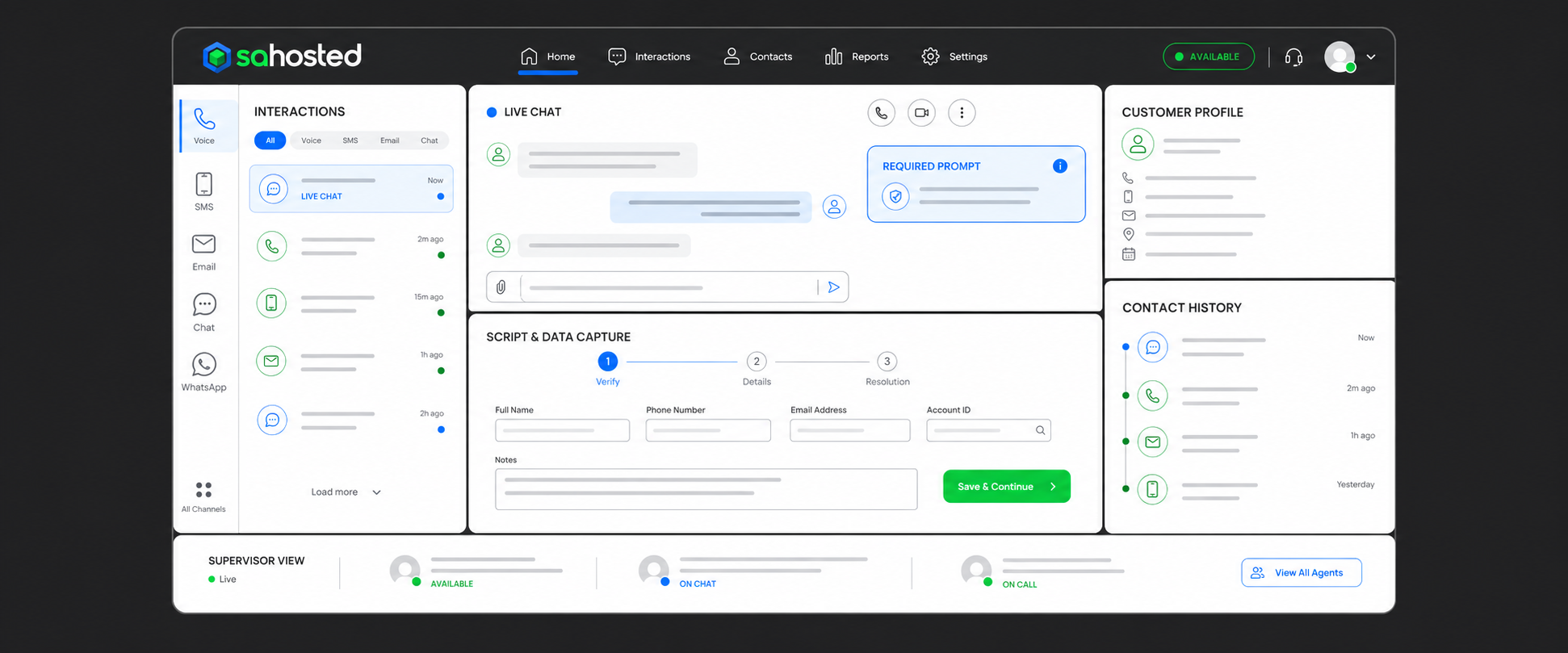
SA Hosted unified agent desktop showing omnichannel interactions, live chat, customer profile, script data capture, and supervisor view
Dynamic Scripting

Scripts that adapt to the interaction, not the other way around.

Static scripts break down when customers take different paths. SA Hosted's dynamic scripting uses branch logic so the script responds to what the agent captures or what the customer says — surfacing the right next step, prompt, or compliance requirement at each point.

Branch Logic

Scripts adapt based on customer answers, account data, or interaction type — guiding agents through the right path without memorizing procedures.

Data Capture Fields

Required fields within the script ensure agents collect the same information every time, reducing missing data and post-interaction rework.

Compliance Prompts

Required disclosures, consent language, and regulatory prompts appear automatically at the correct point in the script — surfaced by the system, not by memory.

Supervisor Visibility

Supervisors see script progress, current step, and data capture completion across all active agents — enabling real-time coaching and quality control.

Related Solutions

The agent desktop connects to the full platform.

Get Started

Give your agents the tools to work consistently.

Tell us how your agents work today and what you need to run differently. SA Hosted can build the scripting and desktop configuration to match your operation.

Talk to SA Hosted All Solutions